
Shopping Cart
- MIRRORLESS CAMERAS
- POINT & SHOOT CAMERA
- CAMERA LENSES
- PRO VIDEO
- CANON
- SONY
- Sony FX3
- Sony FX30
- Sony FX3A
- Sony FX3A Body
- Sony FX3A + FE 24-50mm f/2.8 G
- Sony FX3A + FE 24-70 mm f/2.8 GM II
- Sony FX3A + FE 16-35 mm f/2.8 GM
- Sony FX3A + FE 70-200mm f/4 Macro G OSS II
- Sony FX3A + FE 70-200 mm f/2.8 GM OSS II
- Sony FX3A + FE 35 mm f/1.4 GM
- Sony FX3A + FE 50 mm f/1.2 GM
- Sony FX3A + FE 24 mm f/1.4 GM
- Sony FX3A + FE 85mm f/1.4 GM II
- Sony FX3A + FE 28-70mm f/2 GM
- BLACKMAGIC
PRO VIDEO
Professional Video Camera Essentials for Every Creator
When you’re shopping for a caméra vidéo pro, you’re investing in precision, versatility, and high performance. In this category, we present top-tier models from Canon, Sony, and Blackmagic, each tailored to professional workflows.
Whether you shoot travel documentaries, portrait interviews, sport events, or YouTube vlogs, a professional video camera gives you the edge. You’ll benefit from richer dynamic range, higher bit rates, professional codecs, interchangeable lenses, and reliable autofocus. With pro video equipment, your footage will look sharper, cleaner, and more cinematic—crucial when your work is judged frame by frame.
Choose from professional video camera Canon models for color accuracy and lens ecosystem, pro video camera Sony for excellent low-light and fast tracking, or pro video camera Blackmagic for impressive internal recording and raw workflows. These are not consumer cams—they’re built for creators who demand performance under pressure.
Let us guide you toward the right gear. Browse, compare, and pick the professional video camera that will elevate your craft. Ready to take your productions to the next level? Dive in and choose your ideal pro video camera today.
Available products

- -5%
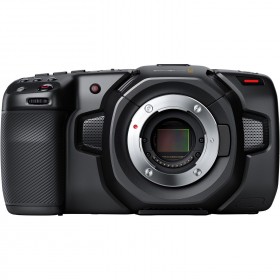
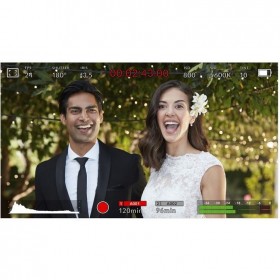
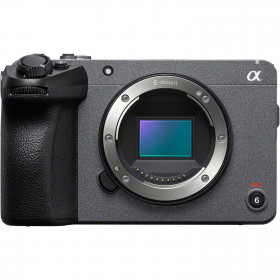
Sony FX30 - Cinema Camera
The Sony FX30 Cinema Line Camera pairs the BIONZ XR processor with a new 4K Super 35 sensor that has 6K oversampling and 4K 120p 10bit 4:2:2 All-Intra recording. With Dual Base ISO and 14 stops of dynamic range in S-Log3, this camera is perfect for capturing stunning images and videos in even the most challenging situations.
IN STOCK
- -5%
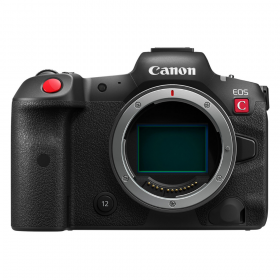
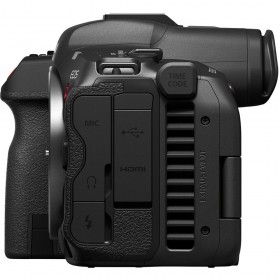
Canon EOS R5 C Body - EOS Cinema Camera
With a Canon EOS R5 C camera that combines the best of the Cinema EOS range with the advantages of the EOS R series, you can shoot 8K/30P videos (60P with external power) or extraordinary 45-megapixel photos.
IN STOCK
- -5%
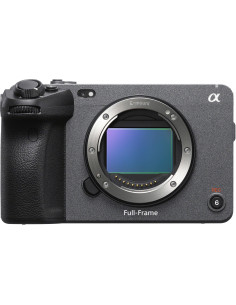
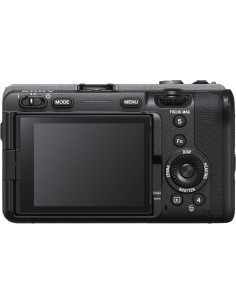
Sony FX3A - Full-Frame 4K Cinema Camera
Sony FX3A puts full-frame cinema power in a compact body built to convert. Tough, agile, and field-ready, it delivers arresting 4K that impresses on first watch and keeps clients coming back.
Professional imaging pipeline: 4K up to 120p for premium slow motion, 10-bit 4:2:2 for smooth gradients, plus S-Cinetone and S-Log3 for natural color and generous...
IN STOCK


- -5%
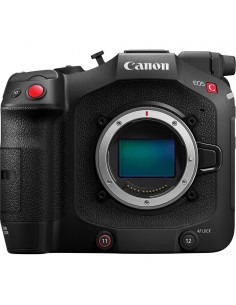
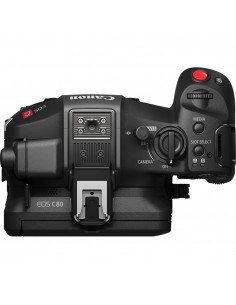
Canon C80 Camera – Compact 6K Full-Frame Cinema EOS Camera
The Canon C80 Camera is a streamlined 6K full-frame cinema camera built for creators who demand both performance and portability. With its 6K BSI sensor and triple base ISO (800 / 3200 / 12,800), it delivers clean, high-dynamic-range imagery even in challenging lighting. The Dual Pixel CMOS AF II with EOS iTR AF X ensures precise autofocus, even during...
IN STOCK
Showing 1-6 of 6 item(s)
Professional Video Camera Canon: Why Choose It?
Canon’s pro video cameras are legendary for their natural skin tones, dependable autofocus, and broad lens support. These features make them ideal for filmmakers tackling portrait interviews, corporate video, or even documentary-style shoots. With a Canon pro video camera, you’ll enjoy excellent color science, smooth exposure transitions, clean HDMI output, and versatility across lens formats. The Canon ecosystem is mature: you can pair these rigs with cinema lenses, speed boosters, or even zoom lenses, adapting to travel shoots, controlled studio setups, or fast-moving action. Many Canon models also support dual card slots, 10-bit internal recording, and high frame rates—features that professionals expect. Whether you’re capturing weddings, short films, or YouTube episodes, a professional video camera Canon option gives you trusted performance and consistent results from shoot to post.
Pro Video Camera Sony: Low Light & Speed Advantage
Sony’s strength lies in capturing clean images even in challenging light. A pro video camera Sony often includes powerful image sensors and excellent ISO performance, giving you flexibility when shooting dusk cityscapes or indoor events. Their autofocus and subject-tracking systems are among the best, helping keep your subject sharp even when moving quickly (great for sports or run-and-gun style shoots). With S-log profiles, high bit-rate codecs, and flexible media options, a Sony rig fits both advanced narratives and fast turnaround projects. Many Sony models also support internal 10-bit 4:2:2 recording, raw output, and full-frame or Super 35 modes—ideal for content creators who demand cinematic latitude. In short: when speed, sensitivity, and reliability matter, Sony delivers.
Pro Video Camera Blackmagic: Quality & Workflow Power
Blackmagic cameras are built for creators who want raw recording, high bit depths, and creative control. A pro video camera Blackmagic often supports internal 12-bit raw or Blackmagic RAW, wide dynamic range, and flexible color grading workflows. These cameras are beloved for filmmaking, music videos, and narrative work where post production quality is key. With features like DaVinci Resolve integration, LUT support, and modular rigging possibilities, Blackmagic models give you full creative freedom. Their inputs and outputs are tailored to professional setups—XLR audio, genlock, timecode, and robustness. If your priority is maximizing image quality and pushing your footage further in post, a Blackmagic solution is ideal.
How to Choose the Best Pro Video Equipment
Picking pro video equipment is more than specs. First, define your primary use—are you shooting interviews, live events, travel documentaries, or content for YouTube? Choose a camera whose sensor size, lens mount, media format, and codec support matches your workflow. Consider ergonomics for handheld work, battery life, inputs/outputs, and stabilization. Don’t forget lens availability and compatibility—your choice of mount may influence your future upgrades. Look for professional video camera cheap options if you're on a budget, but check whether they still deliver 10-bit recording, full manual control, and clean audio. Buying used or older pro models can be viable, but test every port and component carefully. Finally, align your camera with your editing and post pipeline—if you need raw or log workflows, your storage and processing must keep up.
Professional Video Camera for YouTube: Key Features
When creating content for YouTube, your professional video digital camera needs to be versatile and practical. Prioritize reliable autofocus, easy framing tools (flip or touchscreen displays), in-camera stabilization or support for gimbals, and formats that compress well without heavy file sizes. Many YouTube creators opt for Canon or Sony models for these reasons. Also, 4K60 or higher and internal 10-bit recording provide future-proofing. For live streaming, check whether the camera supports clean HDMI output or USB video class (UVC). If you shoot on location, battery life, weight, and media flexibility matter. Lastly, usable audio inputs (XLR or mic-in) and good performance in indoor lighting make a real difference. A camera suited for YouTube must juggle image quality, speed, and convenience.
Advantages of Pro Video Cameras in Travel & Sport
Shooting in travel or sport environments demands versatility, durability, and performance under pressure. A caméra vidéo pro can deliver rugged builds, weather sealing, fast autofocus, and stabilization to capture action on the move. In travel, you’ll want a compact rig (or modular build) without sacrificing image quality. For sport, fast frame rates, reliable tracking, and robust media write speeds are essential. Also, pro rigs often have better dynamic range for harsh lighting and clean ISO for low-light stadiums or dusk settings. Coupled with interchangeable lenses and high-speed media, a pro camera lets you capture crisp slow motion, wide vistas, or tight action—all with better consistency than consumer gear.
FAQ - Pro Video Cameras
How much should I expect to pay for a professional video camera?
The price of a caméra vidéo pro varies widely depending on sensor size, codec, recording depth, brand, and features. Entry-level professional models may start in the mid-range category, while full cinema cameras with global shutter, 12-bit raw, or high-end mounts command a premium. But rather than looking solely at cost, compare the features you need—codec, color depth, lens compatibility—to make sure your purchase supports your creative goals and workflow. Often, investing a bit more now saves you from limitations later.
Are Canon, Sony, and Blackmagic cameras compatible with the same lenses/accessories?
No, each brand or mount has its own ecosystem—Canon EF/PL, Sony E/FE/PL, Blackmagic URSA/EF, etc. You may use adapters (e.g. for EF to Sony E) but check for autofocus, lens performance, and firmware issues. Also, accessory mounts, sensor size, and crop factors differ. Always verify lens compatibility, metadata support, and peripheral connectivity when mixing systems.
What is the expected battery life on a professional video camera?
Battery life depends heavily on sensor usage, display usage, autofocus load, stabilization, and frame rate. In real-world use, many pro models last between 1.5 and 3 hours under moderate loads. If shooting long interviews or events, carry multiple batteries and external power options. Many rigs also support V-mount or Gold mount solutions for extended runtime.
Can I use a pro video camera for still photography as well?
Yes—many pro video cameras offer still image capture in high resolution (e.g. via full-frame sensor). However, their still photography features are often limited (e.g. fewer photo-centric autofocus modes, slower burst rate). If your priority is mixed photo/video work, verify that the camera supports still modes that meet your needs.
Is there a big difference between cheap professional video cameras and high-end models?
Yes—entry-level pro cameras may lack features such as internal 10-bit 4:2:2 recording, high frame rates, raw or log output, or robust audio and connectivity options. High-end models may offer global shutters, higher dynamic range, advanced codecs, full modular design, and better durability. Choose what fits your project requirements rather than just price.
Which formats and resolutions should I look for?
Opt for cameras that support at least 4K (or higher), internal 10-bit or raw recording, and modern codecs like ProRes or Blackmagic RAW. For flexibility, ensure that lower resolutions (1080p, 2K) are available for easier editing. Also, check whether the camera allows high frame rates (e.g. 60/120/240 fps) for slow-motion effects.
Do pro video cameras support live streaming directly?
Many pro models provide clean HDMI, SDI, or USB output to support live streaming. Some newer models even support UVC (USB Video Class) or network streaming via built-in Ethernet or Wi-Fi. Always test your streaming workflow to ensure compatibility and stable performance.
How long can I shoot continuously with a pro video camera?
Continuous recording limits vary—some pro models allow unlimited recording (until storage fills or battery drains), while others have time cutoffs due to temperature control or file size limits. Always check manufacturer specs, and in practice, plan for segmenting long shoots or having backup rigs.
Expert Tips — Professional Video Camera Insights
Choosing your first pro video camera can feel daunting, but you’re not alone. Think about your content goals, environment, and post workflow first—then match hardware to that vision. Don’t obsess over the highest specs; instead, value usability, support, and expandability. Always test autofocus, ergonomics, and media speeds under your shooting conditions. Rent models you’re considering before committing. And finally, invest in good lenses, media cards, and lighting—these often affect your image quality more than switching from one pro body to another. With the right system set up and confidence in your tools, your creative work will shine—and your audience will see the difference.
Your next step? Explore our Canon, Sony, and Blackmagic pro video camera selections and choose the model that fits your creative path. Pick one that empowers your storytelling today.
ALEX (In testing phase)
Hello! Welcome to our online store 👋 Would 👍 🐦🔥you like help with products, orders, or shipping?
By using this chatbot, you agree that your messages may be processed by AI to provide responses. We do not store or share your conversations. For more details, please refer to our Privacy Policy.