
Shopping Cart
Sony A7 V vs Canon EOS R6 Mark III: Which Should You Choose in 2026?

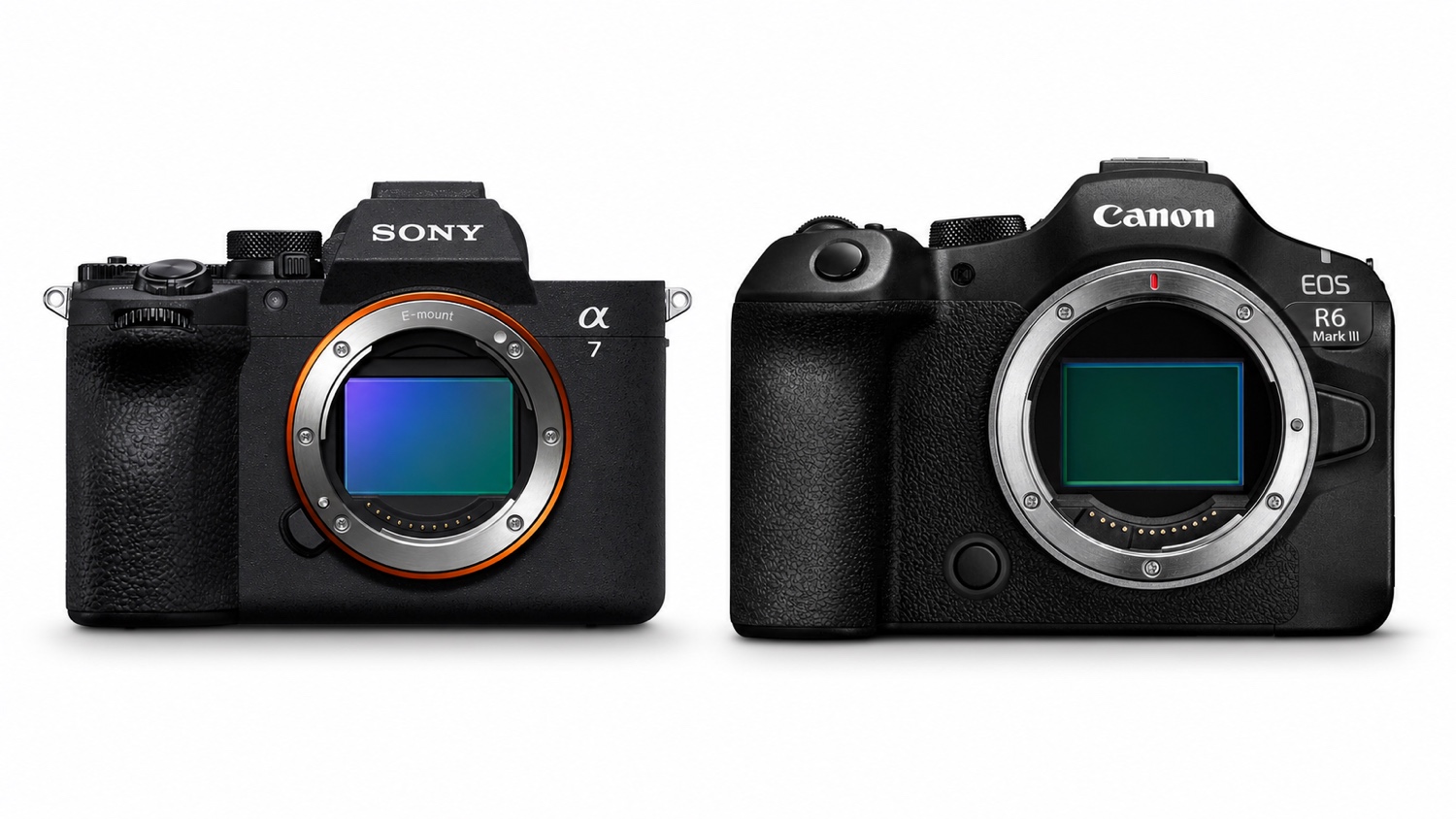
A wedding starts in a dim church, moves into hard midday sun and ends at a reception where silent stills and short slow-motion clips are both on the shot list. The following morning brings the less glamorous part: importing, backing up, editing and delivery. The Sony A7 V and Canon EOS R6 Mark III can both handle that kind of hybrid assignment. What differs is how they make the day, and the work afterwards, easier.
The short answer: choose the Sony A7 V if silent action photography, a blackout-free view at up to 30 fps, one-second pre-capture, strong battery life and the breadth of the E-mount system matter most. Choose the Canon EOS R6 Mark III if you will genuinely use internal 7K RAW, Open Gate, 4K/120p, 40 fps electronic shooting, CFexpress Type B or an existing collection of Canon EF and RF lenses. If this is your first serious full-frame kit, the better purchase is often the body that leaves enough money for the lens, cards and backup storage. If you already own a system, changing mounts may cost far more than the difference between the cameras.
One naming point matters before we go further. This comparison covers the EOS R6 Mark III, Canon's hybrid stills/video model with a viewfinder and mechanical shutter. The EOS R6 V is a different, video-led camera with no viewfinder and an active cooling fan. None of its specifications have been used here.
Sony A7 V or Canon EOS R6 Mark III: the one-minute decision
| Your situation | Our recommendation | Why |
|---|---|---|
| Your first versatile full-frame system | Sony A7 V, with one caveat | Battery life, the four-axis screen and a broad choice of native E-mount lenses make it easy to build around. A better-value complete Canon kit could still reverse the decision. |
| You already shoot Sony E | Sony A7 V | You keep your lenses and familiar workflow, along with any NP-FZ100 batteries your current camera uses. |
| You own Canon RF or EF lenses | Canon EOS R6 Mark III | RF lenses fit directly. EF and EF-S lenses can be used through the appropriate adapter, subject to checking each lens. |
| Weddings, events and reportage | Sony A7 V for endurance and silent action; Canon if the brief really calls for Open Gate, RAW or full-frame 4K/120p | The required video deliverables and your lens collection matter more here than a 0.5MP resolution gap. |
| Sport and wildlife | Sony for a blackout-free view and up to one second of pre-capture; Canon for 40 fps and its deeper quoted RAW buffer | There is no universal winner. Sensor readout, card choice and the telephoto lens you can afford all matter. |
| Efficient 4K production for a solo creator | Sony A7 V | Oversampled full-frame 4K/60p from roughly 7K, with 4K angle-of-view priority enabled, combines with 10-bit codecs and a flexible screen without forcing RAW into the workflow. |
| Commercial work, fiction, vertical crops or demanding masters | Canon EOS R6 Mark III | Internal 7K RAW, 3:2 Open Gate and 4K/120p give more room in post, at the cost of heavier files and faster cards. |
| Wide-angle slow motion | Canon EOS R6 Mark III | The Sony must switch to APS-C/Super 35 for 4K/120p, tightening the angle of view by about 1.5x. |
| Long days with limited access to power | Sony A7 V | Its quoted CIPA figures are higher, though neither set of figures predicts an entire real-world assignment. |
A useful test is to look at your next three projects. If none calls for RAW video or Open Gate, those features probably do not justify the Canon on their own. If you routinely deliver several aspect ratios from one take, or your post-production genuinely starts with RAW files, they stop being items on a specification sheet and become working tools.
Two 33MP-class sensors with different priorities
Almost identical resolution in practical use
The Sony uses a 33MP effective full-frame, partially stacked Exmor RS sensor. The Canon has a 32.5MP effective full-frame CMOS sensor and produces 6960 × 4640-pixel stills. On paper and in finished pictures, that resolution difference is too small to settle the choice.
Both provide enough detail for an album, a double-page spread, a sensibly sized large print or a moderate crop. Neither can replace the correct focal length when a bird occupies only a tiny part of the frame. In wildlife photography, putting more of the budget into a longer lens can preserve more usable detail than buying one body over the other for half a megapixel.
Sony also offers Extended Hi-Res processing from multiple RAW files in Imaging Edge Desktop. This is not a conventional in-camera Pixel Shift mode: the subject has to remain still and the files must go through Sony's software. It suits static work, not weddings, sport or wildlife.
Dynamic range and low light: isolated numbers can mislead
Sony claims up to 16 stops of dynamic range with the mechanical shutter. Canon quotes more than 15 stops in Canon Log 2 for video. These figures come from different manufacturers, modes and test methods. Presenting them as a direct stills score would be misleading.
The main mechanical-shutter curves from Photons to Photos show the Sony ahead at low ISO in that site's photographic dynamic-range measurement, with the gap narrowing as sensitivity rises. This laboratory measurement provides useful context for RAW files. It does not predict which rendering you will prefer, how well a shot was exposed or what both images look like when compared at the same output size.
In a dark venue, lens aperture and the shutter speed needed to stop movement will often matter more. A suitable f/2.8 zoom can make a picture that a slower zoom cannot, even when the latter is attached to the body that leads a chart. Compare complete kits, not isolated sensors.
Stabilization figures were measured with different lenses
Both cameras use sensor-shift stabilization, but their manufacturers' maximum ratings are not directly comparable. Sony quotes up to 7.5 stops at the center and 6.5 at the edge with the FE 50mm F1.2 GM. Canon quotes 8.5 and 7.5 stops with the RF 24-105mm F2.8 L IS USM Z at 105mm. The lenses and conditions differ, so those figures do not prove a one-stop Canon advantage.
Stabilization can help with a static subject or a handheld video shot. It cannot freeze a walking person, a bird or a player. Once the subject moves, shutter speed and aperture matter again.
Your settings dictate file size more than 0.5MP does
With such similar resolution, like-for-like RAW files do not radically change storage requirements. Compression, burst rate and video settings do. A five-second burst can produce as many as 150 frames on the Sony at 30 fps and 200 on the Canon at 40 fps. Reviewing those files is part of the cost of using maximum speed.
Video widens the gap. Sony's 4K Long GOP formats can remain relatively compact, while 4K/60p 4:2:2 10-bit All-Intra reaches 600Mbps. Canon's 12-bit 7K RAW puts much greater pressure on the card, transfer time, storage and editing computer. The format that retains the most information only pays off when the production uses that information.
Autofocus and action: blackout-free 30 fps or 40 fps with 20 pre-shot frames?
Two subject-recognition systems that cannot be ranked from a list
Sony specifies 759 phase-detection points covering roughly 94% of the image. Its recognition categories include people, animals and birds, insects, cars, trains and aircraft. Canon's Dual Pixel CMOS AF II covers approximately 100% × 100% of the frame in some modes and recognizes people, dogs, cats, birds, horses, racing vehicles, aircraft and trains. Registered People Priority can store up to ten people.
Those lists do not produce a winner. Sony's 759 points and Canon's 6,097 selectable positions are different measurements; treating them as equivalent AF points would create a false comparison. Results also depend on the lens, subject size, contrast, AF area, obstructions and the way the camera is configured.
We do not have a broad, matched test performed with the verified firmware versions and equivalent lenses that would support a universal hit-rate claim. The honest approach is to compare the documented tools, then try the camera-and-lens combination on the kind of subject you normally photograph.
Maximum speed tells only half the burst story
The Sony reaches 30 fps in 14-bit RAW with AF/AE and a blackout-free view, but only with the electronic shutter in Hi+ mode. Pre-capture can be set as far back as one second. When the decisive moment begins just before the shutter is fully pressed, whether that is a bird taking flight, a ball being caught or rings being exchanged, the extra half-second of history may matter more than another ten frames per second.
The Canon reaches 40 fps electronically, or about 12 fps with its mechanical or electronic first-curtain shutter. Its pre-shooting function stores 20 frames, equivalent to roughly half a second at the maximum rate. At 40 fps, Canon quotes around 330 JPEGs and 150 RAW files on CFexpress, or 140 RAW files on SD. Under Sony's stated conditions, the A7 V manages approximately 185 Fine JPEG/HEIF files, 95 compressed RAW files, 85 RAW+JPEG files or 35 HQ/lossless compressed RAW files at 30 fps.
These are not matched laboratory results. Cards, file types, temperatures and settings differ. They still reveal a practical split: Canon combines the higher rate with a deeper quoted RAW buffer, particularly on CFexpress Type B. Sony puts more emphasis on a longer pre-capture window and an uninterrupted view of the subject. At more moderate rates of 20 fps or below, Sony says its JPEG/HEIF buffer can exceed 1,000 frames.
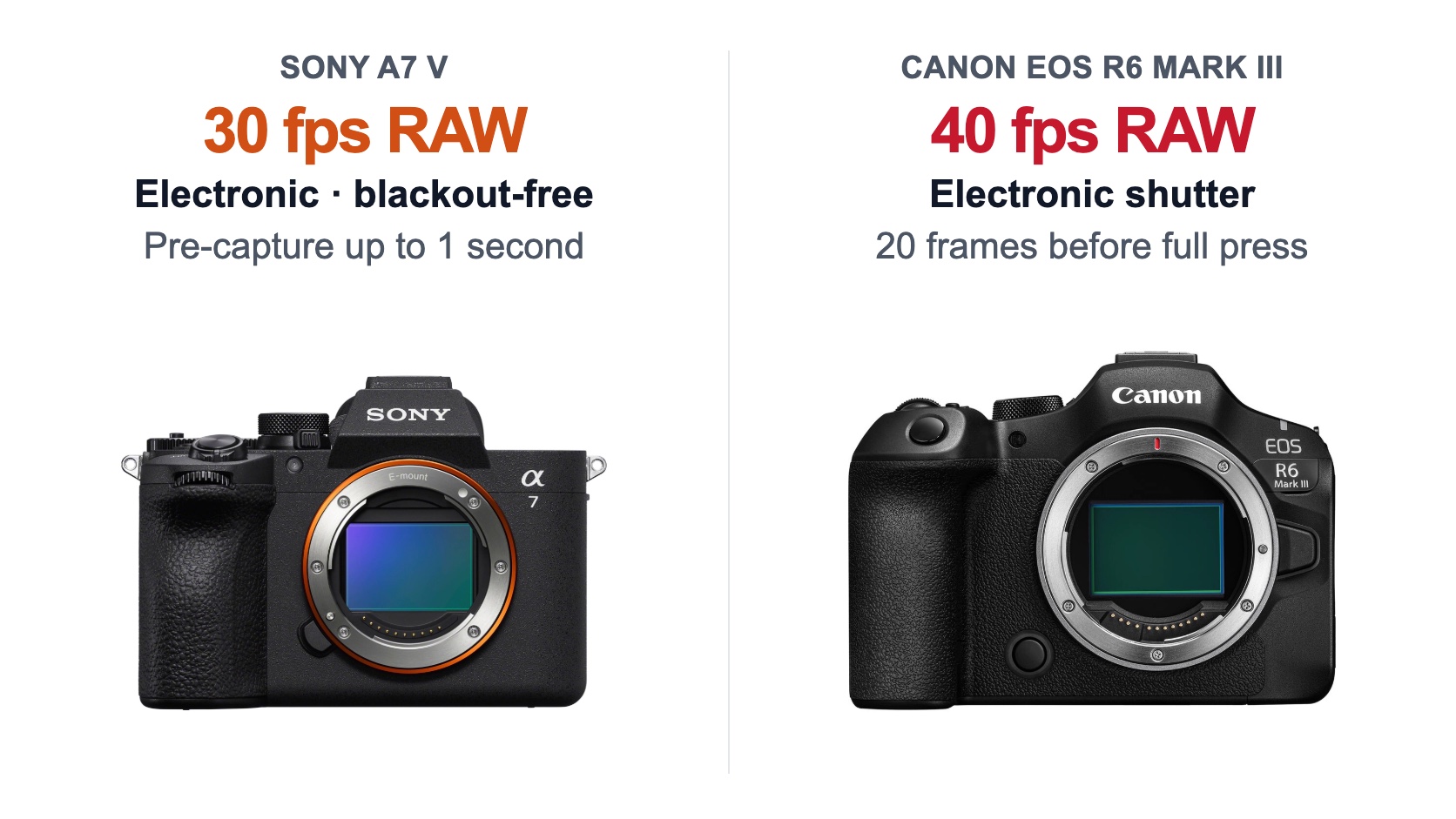
Sony emphasizes a continuous view and one second of pre-capture. Canon reaches 40 fps and stores 20 frames before the shutter is fully pressed.
Electronic shutters still bring rolling shutter into the picture
The Sony sensor is partially stacked, and Sony claims a 4.5-times faster readout than the A7 IV. That does not make it a global shutter or remove every kind of distortion. CineD measured approximately 14.5ms in full-frame 4K at 25p on the Sony A7 V. That result applies to one video mode; it cannot simply be carried over to electronic-shutter stills.
We found no strictly matched independent Canon EOS R6 Mark III measurement suitable for this comparison. Declaring one camera the rolling-shutter winner at every speed would therefore go beyond the evidence. Fast motion, panning and vertical lines may reveal distortion on either camera, while some artificial lighting can cause banding.
Both bodies retain a mechanical shutter. When absolute silence is not essential, it gives you another option to test under troublesome LED lighting or with especially fast subjects. It will not cure every flicker problem, but you are not forced to rely on the electronic mode.
Video: the real dividing line is 7K RAW and Open Gate
Sony: a capable 4K workflow, with a crop at 120p
The Sony A7 V records full-frame 4K/60p from a readout close to 7K, without pixel binning, when 4K Angle of View Priority is enabled. Sony notes that this setting disables part of the camera's noise reduction and may make noise more visible in a dark scene. It is a useful option, not a free improvement in every condition.
4K/120p is available only in APS-C/Super 35. The angle of view becomes about 1.5x tighter, so a 24mm lens frames roughly like a 36mm. That crop may help when filming distant sport. In a small room, on a gimbal or when presenting to camera, it may instead force you to use a wider lens.
Sony offers XAVC HS in H.265, XAVC S in H.264 and XAVC S-I All-Intra, up to 4:2:2 10-bit. S-Log3, user LUTs and Flexible ISO Log are also available. The official documentation we reviewed does not list internal RAW recording, RAW output or Cine EI for the A7 V. That omission hardly matters to a conventional 4K edit, but it is a clear limit when RAW is part of the brief.
Canon: 7K RAW, Open Gate and 4K/120p are separate modes
The Canon EOS R6 Mark III records 12-bit 7K DCI RAW internally. RAW Standard runs up to 29.97p, while RAW Light reaches 59.94p. The 3:2 Open Gate modes, which use almost the full sensor height to make horizontal and vertical reframing easier, stop at 29.97p in both RAW and MP4.
That distinction rules out a tempting but inaccurate shorthand: the Canon does not shoot “7K 60p Open Gate”. It offers 17:9 7K RAW Light up to 59.94p on one hand, and 3:2 Open Gate up to 29.97p on the other. For an interview that must be delivered in 16:9, 9:16 and 1:1, Open Gate can reduce the need for repeat takes. For fast movement in 7K, the 17:9 RAW mode serves a different purpose.
4K DCI or UHD reaches 119.9/100p. Oversampled 4K Fine ends at 59.94/50p, so “oversampled 4K/120p” would also be inaccurate. Canon adds Canon Log 2 and 3, XF-HEVC S/H.265, XF-AVC S/H.264 and 7K 29.97p ProRes RAW output to a compatible recorder.
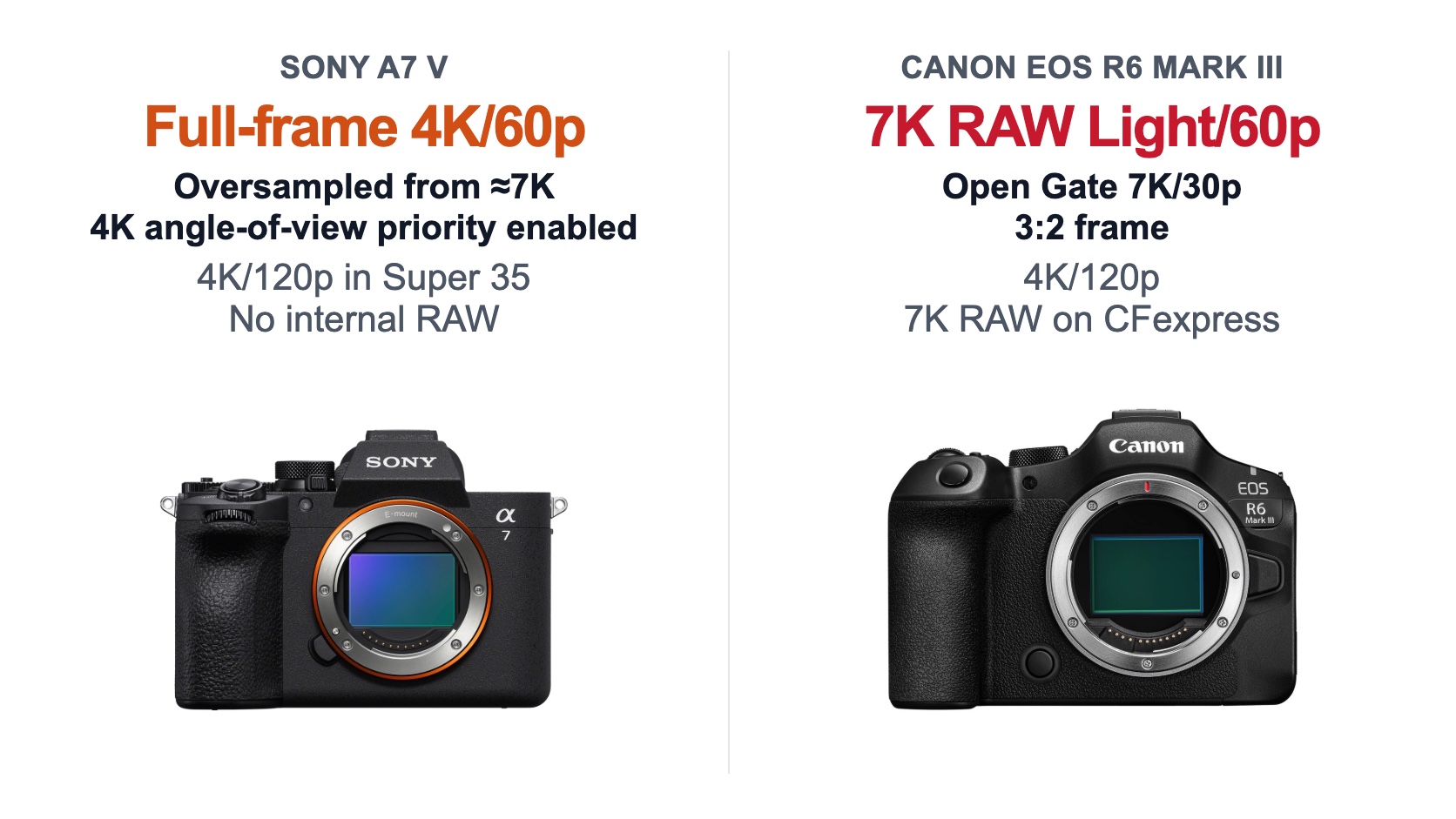
Sony offers an efficient 4K workflow. Canon adds internal 7K RAW and Open Gate, with more demanding cards and files.
Cards, HDMI, heat and the editing computer all come after REC
Sony's first slot accepts either CFexpress Type A or SD UHS-I/II; the second accepts SD UHS-I/II. An SDXC V60 card is sufficient for several modes up to 280Mbps, whereas 600Mbps All-Intra requires an appropriate SDXC V90 or CFexpress Type A card. CFexpress Type B is not compatible.
Canon pairs one CFexpress Type B slot with one SD UHS-II slot. 7K RAW and several of its heavier modes require CFexpress. Type B cards are physically larger and may fit neatly into a workflow already built around cinema or high-resolution cameras, but that does not automatically make the setup cheaper. Compare the price of a capacity and write speed that is actually approved for the mode you intend to use.
Both cameras have a full-size HDMI Type A port, microphone input and headphone output. Sony adds two USB-C ports, one at 10Gbps and the other at 480Mbps, plus 802.11ax Wi-Fi and Bluetooth 5.3. Canon provides one 10Gbps USB-C port, an E3 remote socket, 2.4/5GHz Wi-Fi and Bluetooth 5.1. Depending on the shoot, the useful difference may be Sony's second USB connection or Canon's wired remote input.
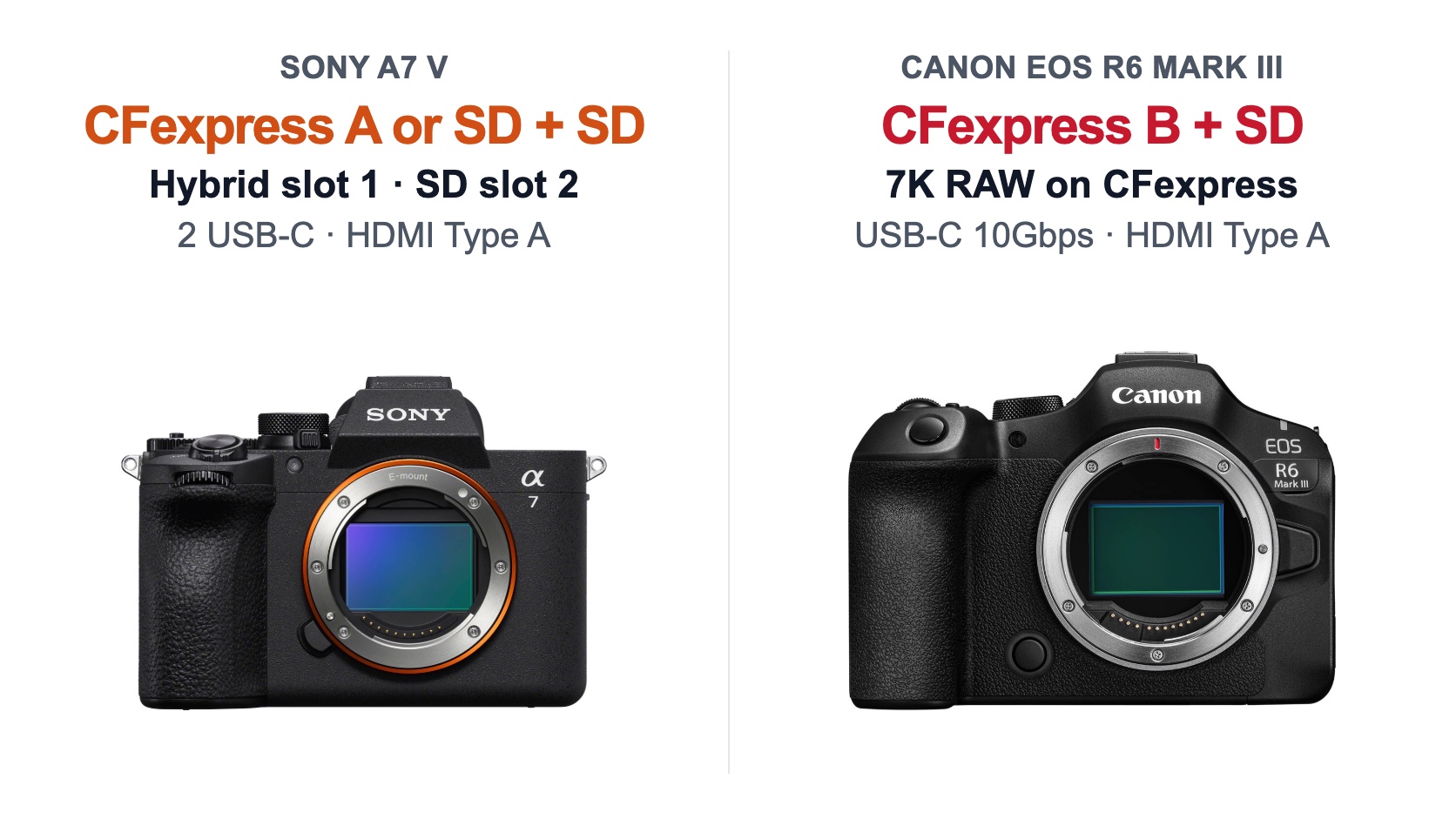
CFexpress Type A and Type B are not interchangeable. Sony uses Type A in its hybrid first slot; Canon uses Type B. Both cameras also provide an SD UHS-II slot.
Sony quotes around 90 minutes of recording at 25°C and 60 minutes at 40°C, but only under specific conditions: 4K/60p at 150Mbps, 4:2:0 8-bit, a CFexpress Type A card, Wi-Fi off, the screen open and the high-temperature threshold selected. Those figures say nothing certain about 4K/120p, 10-bit All-Intra, direct sun or a body that is already warm. Canon sets a six-hour per-clip limit below 100 fps and two hours from 100 fps upwards, while warning that temperature, card or power conditions may stop recording sooner. The test conditions are too different to call either camera the more dependable one in heat.
Before buying the Canon for RAW, open a representative file in your editing software, make proxies, time a transfer and check the archive space it consumes. Before buying the Sony for simplicity, make sure its lack of documented RAW video will not block a broadcaster or production. The useful camera is the one whose files survive the whole workflow, not the one with the most impressive number beside the record button.
Handling and workflow: similar weight, important details
The Sony measures 130.3 × 96.4 × 82.4mm and weighs approximately 695g with battery and card. The Canon is 138.4 × 98.4 × 88.4mm and about 699g ready to shoot. A four-gram gap is irrelevant in a packed camera bag. Canon is slightly wider and deeper, while comfort will depend more on the grip, attached lens and size of your hands.
Trying both before buying is still worthwhile. Check joystick access, room for your little finger, the balance with a 70-200mm and how quickly you can read the menus. A specification sheet cannot tell you which grip feels better after eight hours.
Four-axis Sony screen or side-hinged Canon display
Sony's 3.2-inch, 2.095-million-dot screen combines tilt and side articulation. It can stay behind the optical axis for low- or high-angle stills, then swing forward for solo filming or vertical framing. Of the two designs, it is probably the more versatile.
Canon uses a 3-inch, 1.62-million-dot side-hinged screen. The mechanism is familiar, faces forward and protects the display when folded inward. Once opened, however, the picture sits to the side of the lens. Photographers who often work at ground level may prefer Sony's on-axis tilt; video users accustomed to a conventional vari-angle screen may find Canon immediately familiar.
The viewfinder specifications are close: around 3.69 million dots, 0.78x magnification for Sony and 0.76x for Canon, with modes running up to 120 fps. Sony adds blackout-free viewing at its maximum electronic burst rate. On both cameras, the highest refresh rate is a setting rather than a guarantee in every mode.
Battery life, batteries and accessories
Sony quotes approximately 750 shots using the screen and 630 through the viewfinder with the NP-FZ100. Canon quotes about 620 and 390 respectively with the LP-E6P. CIPA tests do not recreate a wedding day, and different manufacturer methods should not be stretched too far. Even so, the published specifications give Sony a clear advantage here.
Existing accessories can decide the matter. A Sony A7 III or A7 IV owner may already have several NP-FZ100 batteries and chargers. A recent Canon user may own LP-E6P batteries; the R6 Mark III can use LP-E6NH and LP-E6N packs with restrictions, while the older LP-E6 is not compatible. Check the battery grip, cage and remote cable too. Staying with a mount does not guarantee that every accessory carries over.
Both bodies use magnesium in their construction. Canon describes dust- and water-resistant construction, while Sony does not publish an IP rating in the sources reviewed. Neither camera should be sold as waterproof. In prolonged rain, a cover is more useful than a marketing adjective.
Choosing the body also means choosing a lens mount
A good lens usually stays in a kit for longer than a camera body. E-mount covers Sony's own lenses and many native third-party autofocus options, from small primes to professional zooms. That breadth creates more ways to build to a budget; it does not prove that every E-mount lens is better.
RF mount accepts Canon RF and RF-S lenses. An EF-EOS R adapter also supports EF and EF-S lenses, but not EF-M; APS-C lenses impose an approximately 1.6x crop. For a Canon DSLR owner, retaining an EF 70-200mm or long telephoto can make the R6 Mark III a very rational upgrade. Check the functions of each adapted lens, teleconverter compatibility and the balance of the complete setup.
Sony E and Canon RF lenses are not directly interchangeable. If you already own several lenses, flashes and batteries, price their replacement before comparing the bodies. Saving a few euros on the camera can trigger a migration costing thousands.
To price a useful kit, compare the Sony A7 V range and bundles with the Canon EOS R6 Mark III range and bundles, starting with the lens your work actually requires.
Which camera suits the way you work?
Weddings, portraits, reportage and events
For a mainly stills-led assignment, the Sony A7 V brings a blackout-free view, one-second pre-capture, good battery life and a four-axis screen. The Canon EOS R6 Mark III becomes more attractive when the deliverables genuinely include horizontal and vertical versions, 7K RAW or 4K slow motion. In that case, Open Gate and Canon's internal formats have a clear purpose.
Test the electronic mode you intend to use under difficult LED lighting; both cameras retain a mechanical shutter. A fast lens, two backups and a second body ready to shoot matter more than a theoretical autofocus victory.
Sport, wildlife and birds
The Sony makes action easier to follow with 30 fps blackout-free shooting and up to one second of pre-capture. The Canon counters with 40 fps, 20 pre-shot frames and a deeper quoted RAW buffer. Sony places more weight on continuity and anticipation; Canon on rate and burst depth. Whichever you choose, check distortion, artificial lighting and viewfinder response in the electronic mode you will actually use.
Then look at the telephoto lens that fits the remaining budget. Enough reach, another battery and a monopod can have more effect on the result than an isolated body advantage.
Video, interviews, documentary and solo production
For a mainly 4K workflow, the Sony A7 V is straightforward to integrate: oversampled full-frame 4K/60p, 4:2:2 10-bit, S-Log3, LUT support and a four-axis screen. Its 120p mode does crop to Super 35, and the documentation lists no RAW video.
The Canon EOS R6 Mark III better suits a production that uses RAW or several output ratios. 7K RAW, Open Gate and 4K/120p create more options in post, but require CFexpress Type B, proxies and more archive space. For a long interview, test the codec, card, power and temperature together. Neither Sony's duration figures nor Canon's clip limits guarantee a result in every setup.
Travel, landscape and everyday photography
Weight barely separates the cameras. Sony scores for battery life, its screen and the range of compact E-mount lenses. Canon remains the logical option with a small RF lens or an EF zoom you already own, while Open Gate can help turn travel footage into several formats. For a static landscape, 32.5MP and 33MP are effectively equivalent. Lens choice, tripod technique and focus will dominate the half-megapixel difference.
Body price and the real cost of the system
When checked on 12 August 2026, the Sony A7 V body was listed at €2,080.50 and shown as in stock. The Canon EOS R6 Mark III body was €2,068.15, also shown as in stock. With just €12.35 between them, body price is not a meaningful deciding factor here. Prices and availability can change.
Now add what each setting requires: CFexpress Type A or a fast V90 SD card for the relevant Sony modes, CFexpress Type B for Canon's heaviest modes, then batteries, a card reader and two backup copies. 7K RAW also increases storage and editing requirements.
The lens remains the largest cost. Price a complete working kit, then calculate what a mount change would force you to replace. Selling an existing system takes time and usually loses some value; the body that happens to be cheaper today is not always part of the less expensive system.
Should you replace your current camera?
| What you use now | The upgrade that makes most sense | What it adds | When to keep your camera |
|---|---|---|---|
| Sony A7 III | Sony A7 V if action, AF, video or the screen is holding you back | Partially stacked sensor, newer subject detection, blackout-free 30 fps, pre-capture, full-frame 4K/60p and Super 35 4K/120p. | If you mainly photograph static subjects and deliver at the same size as before. |
| Sony A7 IV | Sony A7 V for a regular need for speed or more flexible video | Faster readout, 30 fps, pre-capture, BIONZ XR2, four-axis screen and higher quoted battery life. | If 10 fps and your current video modes already cover the work; resolution barely changes. |
| Canon EOS R or EOS R6 | EOS R6 Mark III when you need more resolution, action performance or video options | 32.5MP, 40 fps, pre-shooting, newer recognition, 7K RAW and Open Gate. | If most work is controlled and the upgrade would mean sacrificing a lens or backup body. |
| Canon EOS R6 Mark II | EOS R6 Mark III, mainly for resolution and video formats | 32.5MP, 7K RAW, Open Gate and the new CFexpress Type B plus SD storage arrangement. | If you need neither the extra crop room, RAW nor Open Gate; the stills gains may not justify the cost. |
| Canon DSLR with EF lenses | EOS R6 Mark III, after checking each lens | Electronic viewfinder, in-body stabilization, subject tracking and modern video, with the potential to keep part of the lens kit via an adapter. | If a key lens loses a needed function or the DSLR still meets the brief. |
| No existing lens system | Choose the complete kit, not the specification winner | Freedom to compare E and RF mount without migration costs. | Wait if the lens you need no longer fits the budget once the body is included. |
An upgrade makes sense when it fixes a problem you can name: “I miss the start of the bird taking off”, “I need horizontal and vertical masters”, “my camera crops too heavily for slow motion” or “I cannot use my current lenses without compromise”. If the reason is only that the newer camera is better, renting one for your hardest assignment will teach you more than buying it immediately.
Final verdict: Sony A7 V or Canon EOS R6 Mark III?
Choose the Sony A7 V for its stills versatility, blackout-free 30 fps shooting, one-second pre-capture, four-axis screen and battery life. It makes a particularly coherent package for weddings, reportage, mobile wildlife work and efficient 4K production. The trade-offs are a Super 35 crop in 4K/120p and no RAW video listed in the documentation we reviewed.
Choose the Canon EOS R6 Mark III if 7K RAW, Open Gate, 4K/120p, 40 fps or your RF/EF lens collection will see real use. It gives you more options during the shoot and in post, with lower quoted battery life and a more demanding storage workflow.
For a first system, we give the Sony A7 V a narrow advantage, particularly when E-mount lets you assemble the stronger complete kit. The Canon moves ahead as soon as its video formats or your existing Canon lenses solve a real need. If your present camera already creates the deliverables clients expect, the better investment may still be a lens, sound, lighting or backup storage.
Sony A7 V vs Canon EOS R6 Mark III frequently asked questions
Is the Sony A7 V or Canon EOS R6 Mark III better for photography?
Neither wins in every situation. Resolution is almost identical at 33MP for the Sony and 32.5MP for the Canon. Sony offers a blackout-free view at 30 fps and pre-capture reaching back as far as one second. Canon reaches 40 fps and has a deeper RAW buffer in its manufacturer's stated conditions. Subject, lens choice and the system you already own therefore matter more than the pixel count.
Which camera is better for professional video?
The Canon EOS R6 Mark III is more complete when a production will genuinely use internal 7K RAW, 3:2 Open Gate or 4K/120p. The Sony A7 V is often easier to fit into a 4K delivery workflow: with 4K Angle of View Priority enabled, it provides oversampled full-frame 4K/60p, along with 4:2:2 10-bit codecs, S-Log3 and a four-axis screen. The Sony documentation reviewed does not list RAW video for the A7 V. Card, storage and editing-time costs should also be included in the decision.
Does the Canon EOS R6 Mark III record Open Gate video?
Yes. It records 3:2 Open Gate as 6960 × 4640 RAW or 6912 × 4608 MP4 at up to 29.97p. The mode uses almost the full sensor height, making it easier to create horizontal and vertical versions from one take. It is separate from 17:9 7K RAW, whose RAW Light option reaches 59.94p: the Canon does not record “7K 60p Open Gate”.
Does the Sony A7 V record full-frame 4K/120p?
No. Its 4K/120p mode always uses an APS-C/Super 35 crop, with an angle of view about 1.5x tighter. A 24mm lens therefore frames roughly like a 36mm. Sony does offer oversampled full-frame 4K/60p from approximately 7K, but this requires 4K Angle of View Priority and carries Sony's stated noise-reduction caveat.
Which camera is better for sport and wildlife?
The Sony A7 V is particularly useful for following action because it combines blackout-free 30 fps shooting with pre-capture adjustable up to one second. The Canon EOS R6 Mark III counters with a 40 fps electronic rate, 20 pre-shot frames and a deeper quoted RAW buffer. These maximum figures depend on the mode, card, lens and settings. The telephoto lens left in the budget can matter more than the difference between the bodies.
Can Canon EF lenses be used on the EOS R6 Mark III?
Yes, with a suitable Canon EF-EOS R adapter. EF and EF-S lenses are supported, subject to checking the functions of each model; an EF-S lens applies an approximately 1.6x crop. EF-M lenses are not compatible. For a photographer moving from a Canon DSLR, this can avoid replacing the entire lens collection at once.
Are Sony E and Canon RF lenses interchangeable?
No, not directly. The Sony A7 V uses E-mount, while the Canon EOS R6 Mark III uses RF mount. A Sony E lens does not fit the Canon as a native lens, and an RF lens does not fit the Sony as a native lens. For a dependable system, compare the lenses genuinely available in each mount instead of planning around cross-mount adaptation.
Should I change brands if I already own several lenses?
Not before pricing the entire move. Replacing lenses, flashes, batteries, chargers and accessories can cost much more than the difference between the two bodies. A brand change makes sense when a frequent, clearly identified limitation cannot be solved within the system you own. Otherwise, staying with the same mount and investing in a better lens, another battery or backup storage may be more useful.
Sources and editorial verification
Sources reviewed and checks completed before publication.
Source-based MCZ DIRECT analysis checked on 2026-08-12 against Sony and Canon documentation and firmware, attributed independent measurements and public MCZ DIRECT listings. Prices and availability are a dated snapshot and may change. MCZ DIRECT sells the products mentioned; this article does not claim an in-house field comparison.
Leave a comment