
My basket0 items
Canon R5 Mark II Video: 8K 60p, 4K 120p and Limits

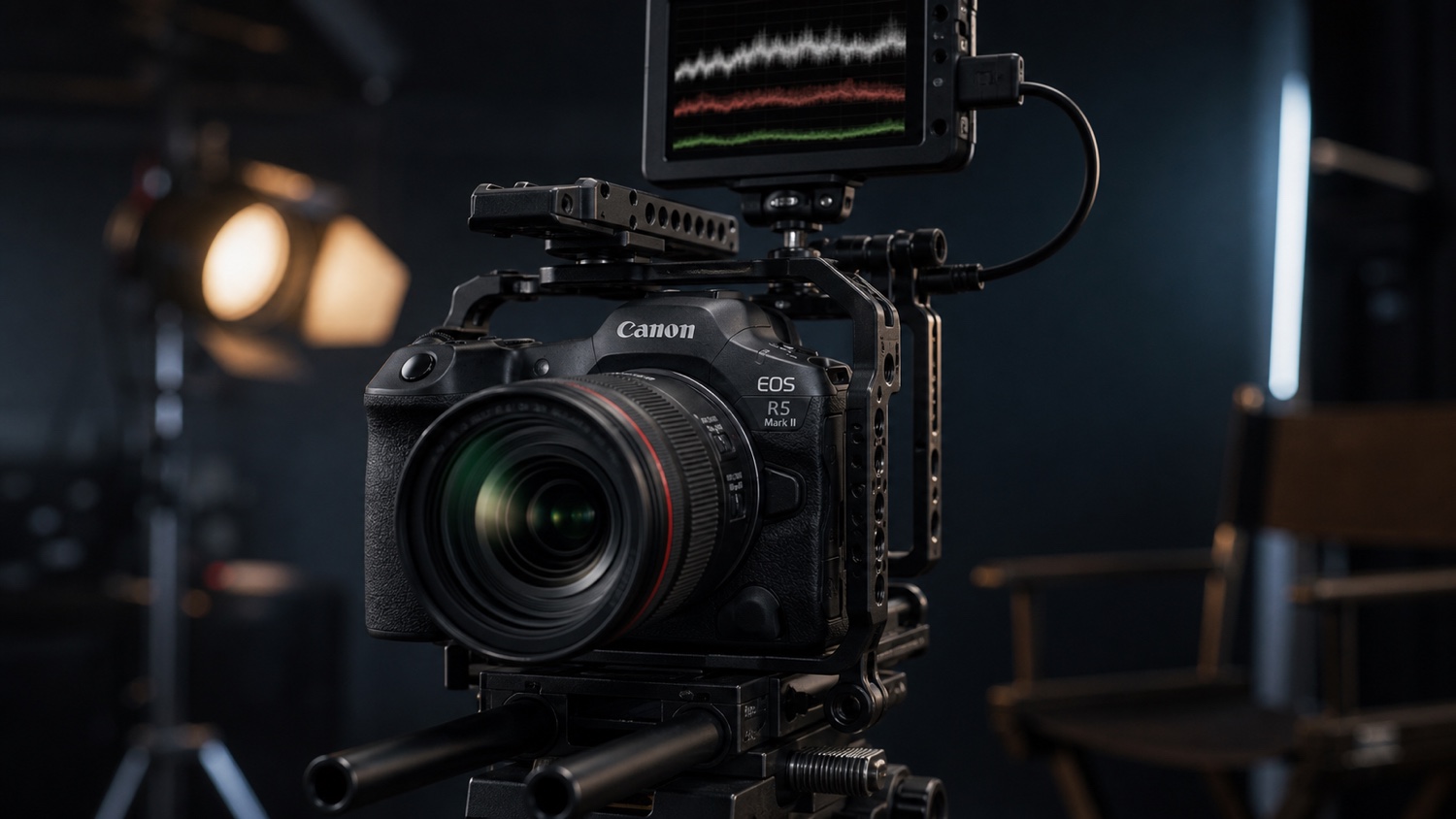
The Canon EOS R5 Mark II records 8K RAW up to 59.94p/50p and 4K up to 119.88p/100p. This verified guide explains audio, data rates, cards, Canon Log 2, proxies and thermal restrictions.
Last factual review: 24 July 2026 — This guide was checked against the official Canon EOS R5 Mark II manual. Data rates, compatibility and restrictions can change with the recording format, frame rate and related settings.
The Canon EOS R5 Mark II can record internally up to 8K DCI RAW at 59.94p/50p with RAW Light selected, and up to 4K DCI or UHD at 119.88p/100p in several compressed formats. Those headline figures do not tell the whole story: audio, card requirements, data rate, heat and simultaneous functions all depend on the exact configuration.
This guide therefore answers the practical question: which setting gives you the resolution, slow motion and post-production flexibility you need without revealing an incompatibility on the shoot? It is an MCZ DIRECT analysis based on Canon documentation, not a laboratory comparison.
8K 60P AND 4K 120P: THE SHORT ANSWER
Choose 8K RAW Light 59.94p/50p when 8K delivery, reframing or moderate slow motion justifies a very high data rate and a RAW workflow. This mode runs at approximately 2,600 Mbps, or about 18,631 MB per minute in Canon's table, and needs a sufficiently fast CFexpress Type B card.
Choose 4K 119.88p/100p when stronger slow motion matters more than 8K resolution. You must then distinguish normal recording from High Frame Rate recording. In normal 119.88p/100p recording, audio can be captured and the file plays at its normal speed. With High Frame Rate enabled, audio is not recorded and the camera prepares slow playback at 29.97p/25p.
Choose 4K Fine at a standard frame rate when detailed 4K is the priority and you do not need an 8K deliverable or 120p. Canon distinguishes Fine from Normal in the manual and states that the Fine options are less compressed. They remain subject to the heat warnings that apply to high-processing modes.
THE MAIN VIDEO MODES, WITH THEIR CONDITIONS KEPT SEPARATE
8K DCI RAW
Internal 8K DCI RAW uses 8,192 × 4,320. Standard RAW is available up to 29.97p/25p/24p/23.98p. Light RAW adds 59.94p/50p. The files are written to the CFexpress card; the SD slot is not the destination for the primary RAW movie.
At 59.94p/50p, Light RAW is approximately 2,600 Mbps. At 29.97p it falls to about 1,670 Mbps; Canon lists about 1,400 Mbps at 25p and 1,340 Mbps at 24p. Light RAW is the R5 Mark II's lighter RAW setting. It should not be assigned a different format name or a compression ratio that this manual does not specify.
Compressed 8K in XF-HEVC S
For 8K without a RAW file, the R5 Mark II offers XF-HEVC S H.265 10-bit recording. Depending on the setting, the options include YCC 4:2:2 10-bit Intra-frame or Long GOP and YCC 4:2:0 10-bit Long GOP. This will generally reduce storage demand compared with the heaviest RAW modes, but editing-software and hardware-decoding support still need to be checked.
4K DCI/UHD up to 119.88p/100p
4K DCI uses 4,096 × 2,160 pixels and 4K UHD uses 3,840 × 2,160. At 119.88p, Canon lists approximately 450 Mbps for XF-HEVC S YCC 4:2:2 10-bit Long GOP and about 300 Mbps for YCC 4:2:0 10-bit Long GOP. XF-AVC S is also available in the combinations shown in the camera's recording table.
Footage recorded at 120p can be slowed by as much as five times on a 24p timeline when the project and software are configured accordingly. That is a frame-rate ratio, not a guarantee of sharp frames, flicker-free lighting or well-exposed motion.
2K DCI and Full HD up to 239.76p/200p
The camera also provides 2K DCI and Full HD at up to 239.76p/200p. These rates sample motion more frequently but at a lower resolution than 4K. The right choice depends on the final deliverable and how strongly the shot depends on slow motion.
DATA RATES AND STORAGE: WHAT CANON'S FIGURES MEAN
| Mode | Approximate data rate | Approximate volume per minute |
|---|---|---|
| 8K Light RAW 59.94p/50p | 2,600 Mbps | 18,631 MB |
| 8K Standard RAW 29.97p/25p | 2,600 Mbps | 18,631 MB |
| 8K Light RAW 29.97p | 1,670 Mbps | 11,979 MB |
| 4K 119.88p XF-HEVC S 4:2:2 10-bit Long GOP | 450 Mbps | 3,221 MB |
| 4K 119.88p XF-HEVC S 4:2:0 10-bit Long GOP | 300 Mbps | 2,148 MB |
Under the conditions used for Canon's table, 64 GB holds about 3 minutes of 8K Light RAW 59.94p, 256 GB about 13 minutes and 1 TB about 51 minutes. These are approximate file capacities, not promises of uninterrupted recording. Camera temperature, power, card condition and operating limits remain separate factors.
For the most demanding 8K RAW settings, Canon specifies a CFexpress Type B card rated at 400 MB/s or faster. Other combinations accept lower performance. Check the exact line for the selected format and frame rate, then test and format the card in the camera before an important assignment.
4K 120P WITH OR WITHOUT AUDIO: THE SETTING THAT CHANGES THE RESULT
“4K 120p with audio” is incomplete unless the recording mode is stated. With High Frame Rate disabled, a 119.88p/100p movie can include audio and plays at normal speed. Slow motion is then created in the editing application.
With High Frame Rate enabled, the camera records no audio. It captures at 119.88p/100p and prepares 29.97p/25p playback. Before shooting, decide whether you need an audio file to conform later or a silent file prepared for slow motion.
High frame rates also introduce restrictions. Proxy recording, for example, is unavailable when the main movie is set to 100 fps or higher. Recheck the menus after every format change, because an incompatible function may be greyed out or disabled.
CANON LOG 2, CANON LOG 3 AND LOOK FILES: THREE DISTINCT IDEAS
Canon Log 2 and Canon Log 3 are available through Custom Picture. Canon describes Log 2 as having better tonal characteristics in dark areas than Log 3, with post-processing required. That statement does not support a universal dynamic-range figure: results depend on the recording format, exposure, development process and test method.
HDR/C.Log View Assist makes Log footage easier to judge on the screen, in the viewfinder or through HDMI without changing the recording. A Look File is different: a compatible 17- or 33-grid .cube created in software such as DaVinci Resolve can be registered in Custom Picture, and its appearance is applied to the recorded movie. Decide whether you want monitoring only or a look baked into the file.
Before a real project, test the complete chain: import, decoding, colour transform, export and playback on the target display. A 10-bit or RAW setting cannot rescue a workflow that does not support it correctly.
EXPOSURE AND PRE-RECORDING TOOLS
The R5 Mark II includes a waveform monitor that can be displayed as a line or RGB parade on the screen, in the viewfinder and through HDMI where supported. It complements visual judgement by showing signal distribution. False colour uses six colours to represent luminance ranges.
False colour is not simply layered on top of every other aid. When enabled, zebras, MF peaking and Dual Shooting are among the functions that become unavailable. Select the exposure or focus aid that suits the current check.
Movie pre-recording retains the 3 or 5 seconds before the record button is pressed. It can recover the beginning of an unpredictable action, but it consumes power while waiting and cannot guarantee that focus, framing or exposure were correct before the press.
HDMI, PROXIES, DUAL SHOOTING AND AUDIO
HDMI RAW output
The full-size HDMI Type A port can send RAW output up to 8K to compatible equipment. The final recording codec and supported frame rates depend on the external recorder and its firmware. When HDMI RAW output is enabled, several camera functions become unavailable, including High Frame Rate, HDR PQ, pre-recording and Movie Digital IS.
Main movie and proxy
With two cards, the camera can record the main movie to card 1 and a lighter proxy to card 2. A proxy is useful for review or offline editing, but it is not an identical safety copy, and certain frame rates—including a main movie at 100 fps or higher—rule it out.
Dual Shooting
Dual Shooting requires two cards. It records a 1,920 × 1,080 Full HD movie while allowing single or continuous 16:9 JPEG stills at 7,680 × 4,320, approximately 33.2 MP. These are not 8K RAW frame grabs, and the feature has its own incompatibilities.
Audio
Depending on the recording format and accessories, the camera can capture 24-bit four-channel LPCM with multiple microphones or two-channel 16-bit AAC. Four-channel playback compatibility varies by application. During HDMI RAW output, audio is fixed at two-channel 16-bit LPCM.
HEAT AND THE CF-R20EP: PLAN WITHOUT AN ABSOLUTE PROMISE
Canon warns that high-resolution, high-frame-rate and processing-intensive modes may stop when internal temperature rises. Actual recording time depends on ambient temperature, previous use, camera settings, airflow and screen position, among other factors. A duration measured in one set of conditions should not be treated as a guarantee.
The CF-R20EP cooling fan can extend recording and adds wired LAN connectivity. It is an accessory to select according to take length and recording mode, not a universal requirement. For a long production, test the full scenario at the expected temperature, plan breaks and monitor the camera's warnings.
Canon recommends the LP-E6P battery for full performance. The LP-E6NH and LP-E6N can work with restrictions, while the original LP-E6 cannot be used. Carry spare batteries or compatible external power for interruption-sensitive work, rather than assuming one fixed battery count suits every day.
WHICH MODE SUITS THE PROJECT?
| Primary requirement | Starting point | Essential check |
|---|---|---|
| Reframing or 8K delivery | 8K Light RAW or XF-HEVC S | Storage, decoding, heat and card |
| Pronounced 4K slow motion | 4K 119.88p/100p | High Frame Rate choice and audio need |
| Detailed 4K at a standard rate | 4K Fine | Take length and temperature |
| Fast turnaround or long takes | Compressed 4K at a standard rate | Sampling, codec and data rate |
| Offline edit | Main movie plus proxy | Two cards and a rate below 100 fps |
Our recommendation is to begin with the deliverable and work backwards to the frame rate and codec. 8K RAW is not automatically the sensible option for a long interview, and 4K 120p is not the right choice when sync sound is essential but the slow-motion workflow has not been defined.
FREQUENTLY ASKED QUESTIONS
Does 8K 60p use Standard RAW?
No. At 59.94p/50p, internal 8K RAW uses Light RAW. Standard RAW stops at the 29.97p/25p/24p/23.98p rates listed by Canon.
Does 4K 120p always record audio?
No. Audio can be recorded with High Frame Rate disabled. It is not recorded when High Frame Rate is enabled.
Can the camera extract a still from an 8K RAW movie?
No. Canon states that frame grabbing is unavailable from RAW movies. A compatible non-RAW 8K DCI or UHD movie can yield a JPEG/HEIF of approximately 35.4 MP or 33.2 MP respectively.
Is an SD card sufficient for 8K RAW?
Not for the primary RAW file: internal 8K RAW is written to CFexpress. Required performance varies with the frame rate and RAW setting.
Is a Look File only for monitoring?
No. A Look File registered in Custom Picture affects the recorded movie. HDR/C.Log View Assist is for viewing and does not affect the file.
Can proxy recording be used with 4K 120p?
No when the main movie frame rate is 100 fps or higher.
THE MCZ DIRECT VERDICT
What the R5 Mark II genuinely provides: internal 8K RAW up to 59.94p/50p, 4K up to 119.88p/100p, Canon Log 2, waveform, false colour, pre-recording and full-size HDMI in a hybrid body.
What must be decided before the shoot: delivery resolution, high-frame-rate audio, data volume, editing compatibility and take length. These decisions matter more than an abstract ranking against other cameras.
Who it suits: hybrid creators and teams prepared to plan their codec, cards, power and heat management. For very long uninterrupted takes with dedicated cinema-camera ergonomics, a different equipment category may remain the better fit.
MCZ Direct sells the Canon EOS R5 Mark II. View its full product page, specifications and availability.
Sources and editorial verification
Sources reviewed and checks completed before publication.
Fact-checked on 24 July 2026 against the Canon manual. Configuration advice is a starting point to validate with the deliverable, editing software, cards and shooting conditions.
- Canon EOS R5 Mark II — Movie recording size and formats
- Canon EOS R5 Mark II — Main recording format and proxy recording
- Canon EOS R5 Mark II — Dual Shooting
- Canon EOS R5 Mark II — Audio recording format
- Canon EOS R5 Mark II — Custom Picture, Canon Log and Look Files
- Canon EOS R5 Mark II — Movie pre-recording
- Canon EOS R5 Mark II — False colour
- Canon EOS R5 Mark II — Shooting information and waveform
- Canon EOS R5 Mark II — HDMI RAW output
- Canon EOS R5 Mark II — High Frame Rate and no audio
- Canon EOS R5 Mark II — CF-R20EP cooling fan
- Canon EOS R5 Mark II — Movie specifications, data rates and cards
Leave a comment